Rugged Android Mobility in 2026: How to Choose Devices for Warehouse and Field Work
· admin
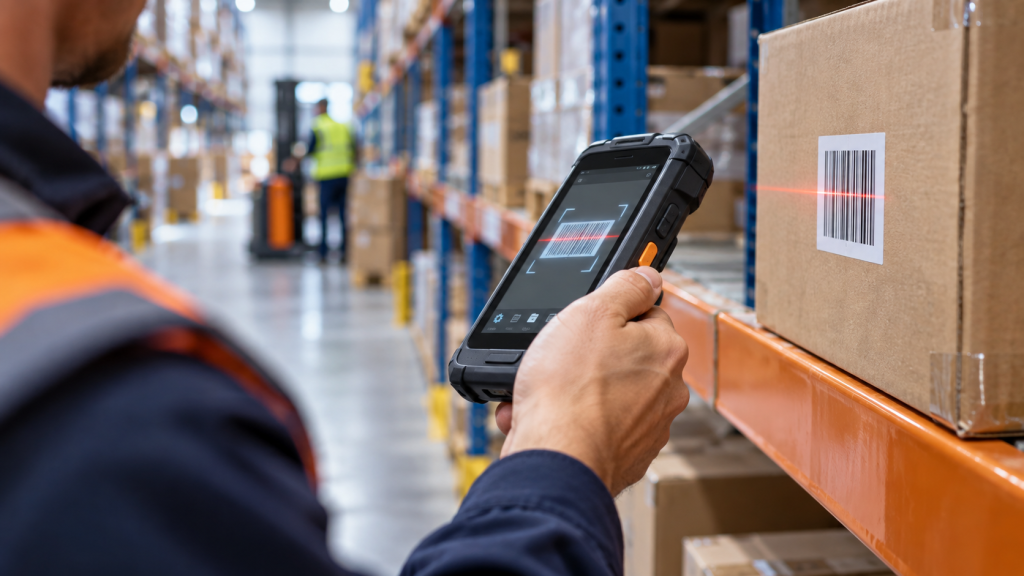
Selecting a rugged Android device is an operational decision, not simply a comparison of processor speed and memory. A mobile computer may be used for receiving, picking, cycle counting, proof of delivery or field service for several years. The right choice must fit the scan task, environment, software and support lifecycle.
Consumer smartphones can work in light-duty workflows, but dedicated rugged computers are designed around repeated scanning, long shifts, controlled accessories and predictable device management. The difference becomes clearer when hundreds of scans, drops, battery changes and network transitions happen every day.
Begin with the workflow
Map the task before selecting hardware. Identify the barcode types, typical scan distance, label condition, scan frequency and whether workers use gloves. A device used at a retail counter has different requirements from one scanning pallet labels from a forklift or damaged codes in a warehouse.
Ergonomics should be tested with the real application. Screen size, key placement, trigger position and weight affect speed and fatigue. A pistol grip can improve high-volume scanning, while a compact handheld may be better for customer-facing or field workflows.
Durability is more than an IP rating
Ingress protection describes resistance to dust and water, while drop and tumble specifications address impacts. These ratings are useful, but they must match the actual environment. Cold storage, heat, chemicals, concrete floors and vehicle vibration introduce different risks.
Android Enterprise Recommended requirements for rugged devices provide a useful baseline that includes minimum hardware, ingress protection, drop-test integrity and enterprise capabilities. Procurement teams should still verify the exact test method and configuration because accessories and open ports can change real-world protection.
Plan for a full shift
Battery capacity alone does not predict runtime. Screen brightness, scan-engine use, cellular coverage, Wi-Fi roaming and background applications all affect consumption. Test the device during a representative shift and define what happens when a battery is low.
Replaceable batteries, charging cradles and multi-slot chargers can be more important than a small difference in processor specifications. For vehicles and service teams, confirm power input, mounting and safe charging options.
Connectivity and roaming
Warehouse mobility depends on stable roaming between access points. A device can have excellent Wi-Fi specifications and still perform poorly if the network design, authentication or power settings are unsuitable. Voice, real-time picking and remote desktop applications are particularly sensitive to interrupted sessions.
Field operations may require cellular data, GPS, Bluetooth peripherals and offline application behavior. Test transitions between Wi-Fi and mobile networks, weak-signal areas and synchronization after connectivity returns.
Lifecycle, security and management
A rugged deployment should have a documented operating-system and security-update policy. Check the supported Android versions, planned upgrade path, availability of spare parts and accessory continuity. Replacing devices early because software support ended can cost more than choosing a stronger lifecycle at the start.
Enterprise mobility management should support enrollment, application deployment, kiosk mode, configuration enforcement and remote troubleshooting. Zero-touch or barcode-assisted staging can reduce setup time when many identical devices are deployed.
Use a scored pilot
Evaluate candidate devices with measurable criteria: scan success on difficult labels, transactions per hour, battery level at shift end, Wi-Fi roaming stability, drop resilience, user comfort and staging time. Include both experienced and new operators because usability problems often appear during training.
The best rugged computer is the device that keeps the workflow moving with the least intervention over its service life—not necessarily the model with the highest specification sheet.
Build the right mobility stack
LENASYS can help match mobile computers, scanners, accessories and deployment services to warehouse or field requirements. Contact LENASYS to plan a pilot or device refresh.
Further reading: Android Enterprise Recommended requirements and the Android Enterprise partner directory.
Leave a Reply